
Introduction
Power.xyz that helps luxury & established brands to create and manage engaging experiences. The platform I design for them allows brands to create two types of engaging experiences: 3D viewers for their eshops (Maje, Vanesso Bruno, Zadig & Voltaire) & gamified online loyalty programs (Michelin 3xplorer club, Le Bristol).
I design interfaces while keeping in mind users' needs, design principles & my company's financial goals.
Power.xyz's platform is built as a headless experience management system (EMS), it means that the platform allows experience management in a dedicated and independent backoffice that is not related to any specific front. This way of building the product makes me, the designer, and the front devs more free to design and build whatever they want, however they want it.
This study case is going to be centered around the 3D viewer management module.
Company and design goals 🎯
Power.xyz needed this module to be able to deliver projects for her clients more quickly but also for her clients to be able to manage their 3D viewers on their own.
One of the main constraints was to design an interface that could be integrated quickly and easily. It was challenging because 3D features are complicated by nature. I had to learn 3D main principles and ask a lot of questions to my 3D dev co worker to understand plainly what was at stake.
What did the company need?
- 3D viewer creation flow interfaces
- 3D viewer edition flow interfaces
- Animated prototype of everything
- functional specifications
- detailed functional documentation of the final product
The main problematic was that power.xyz had 3D viewers and a way to edit them but no platform that could allow clients to configurate their viewers themselves. How could I, in the short time we had, design a first version of this module so we could begin quickly its development?
Explorations & context analysis 👁️👁️
In order to work quickly, efficiently and with as much of info as I needed, I began this project by planning work sessions with everybody involved in the project: my boss (for the financial strategy), the head of tech (for the technical vision and the technical tasks managing), me (for the design) and the front dev who would later develop the interfaces.
During those meetings, we made the project goals more precise :
- clear understanding of the context
- understand the extent of the projects and its associated challenges
- define key features
- define the datas we want to trace and stock
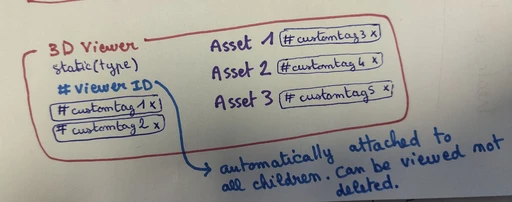
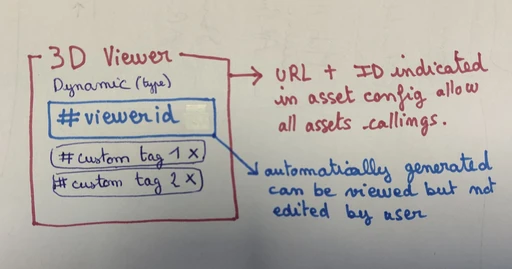
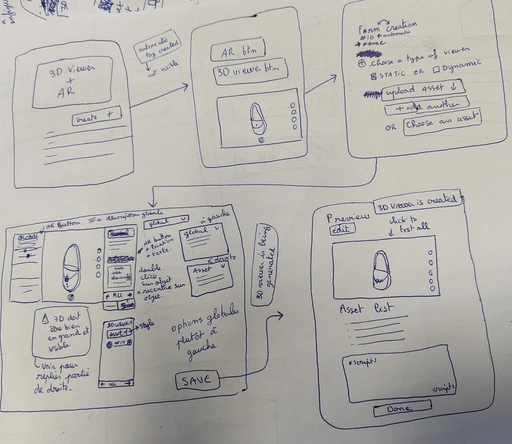
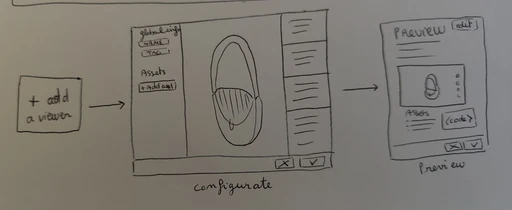
To clarify what was going to be needed, I made a few drawings to better define the two types of viewers users would be able to create via our platform (standard and dynamic). I also made a first version of the different userflows to be sure everybody understood what was going to be done and avoid any communication misunderstanding.
Work sessions conclusions:
- two ways of using the viewer: as a static viewer linked to one or multiple specific assets or as a dynamic viewer, able to disply any asset via thei id.
- all viewers are the same technically speaking, the way we use them define if they are going to be dynamic or standard.
Impactful decisions
As a first step, I reorganized our the platform structure, because the 3D viewer manager added complexity to the platform. The idea was to make the platform as easy and as modular as possible.
Library and appbar components
The asset creation and management module was transformed in a library, accessible everywhere and at any time in the platform. Thanks to this component, the viewer creation flow is not fragmented anymore and you can change the asset in the configurator at any time to test the settings on other 3D objects.
I also deleted the appbar to put its items directly in the navbar on the left side of the screen.
Those two design decisions allowed me to define precise area for specific user actions: navigation, item creation and edition, profile management...
Create the module
A 3D viewer is a tool for visualizing 3D objects that can be directly integrated into our clients' web pages. It allows users to interact with the product presented in 3D (rotate it, zoom in to observe the materials, project it in augmented reality in a room...).
Brands use 3D viewers to allow their users to interact with their product in a more personalized and enhanced way. With this tool, users can manipulate the 3D object and customize how it is displayed by rotating or enlarging it.
This method of presenting the product is naturally more engaging because the user is not just consuming visual content, but also personalizing and manipulating it as they wish using gestures made with their mouse or trackpad. An experience that involves both visual and physical stimuli is much more easily remembered by the human brain.
Main features
In the 3D viewer editor, the user has access to three work areas:
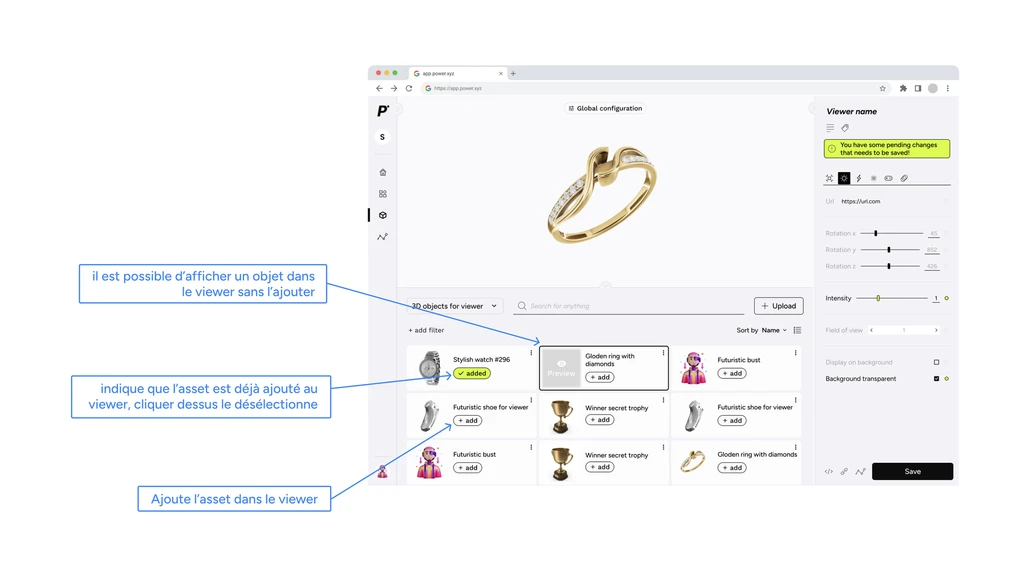
- The canva where the 3D object will be displayed. (This area allows the platform user to see the real-time rendering of the configuration and also interact with the 3D object, examining it as one of their customers would once the viewer is integrated on their website.)
- The library, which allows the user to select the assets they wish to add to the viewer.
-
The configurator, which enables the user to customize their 3D viewer (lighting, environment, etc.).
Canva
The canva allows the user to view a 3D asset within the context of the viewer it is placed in, meaning with the specific configuration of that viewer.The user can see, in real time, the impact of any changes made in the configuration area on the visualization of the 3D model.
The user can test the configuration in context by directly interacting with the model: by scrolling or pinching the trackpad, or by clicking and holding the mouse while moving it to rotate the model.
Library
- The library allows users to browse through the list of assets to select the ones they wish to add to the 3D viewer.
- An 'add' button on each card allows users to add assets to the viewer during the editing process.
- When hovering over an asset preview, a 'preview' button allows users to view the asset in the viewer without actually adding it.
-
Once an asset is added, the button changes to 'added,' and users can simply click it again to deselect the asset.
Configurator
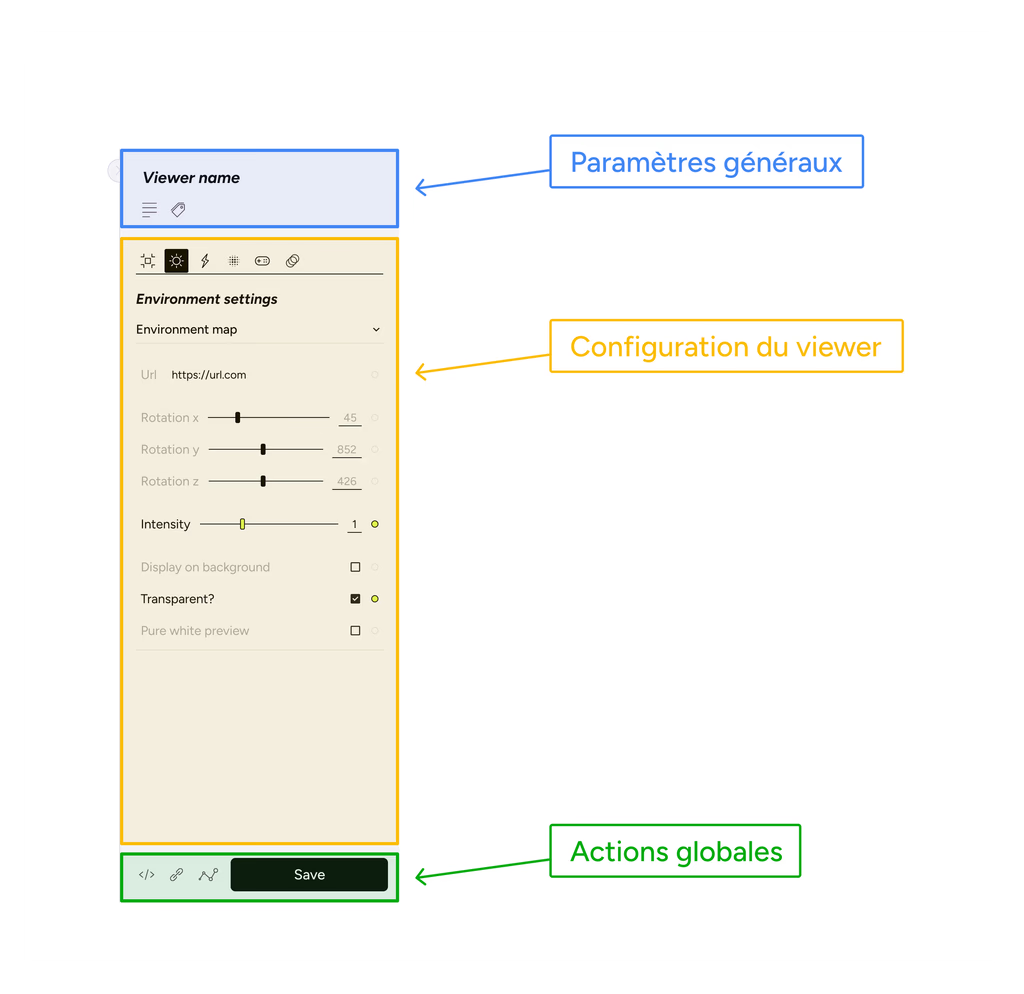
The configurator is the space where the user can configure the various settings of the 3D viewer they are editing.
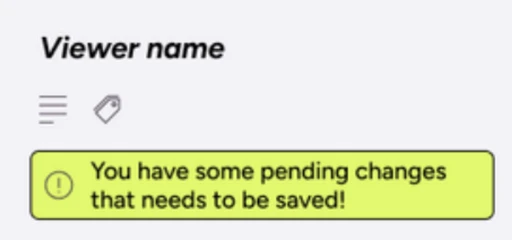
'Pending changes' or unsaved changes
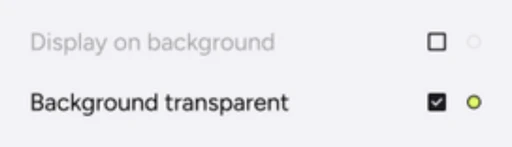
When modifications haven't yet been saved, two indicators help the user keep track of them:
- A message at the top of the configurator
- A green indicator to the right of any setting with unsaved changes.
3D axis
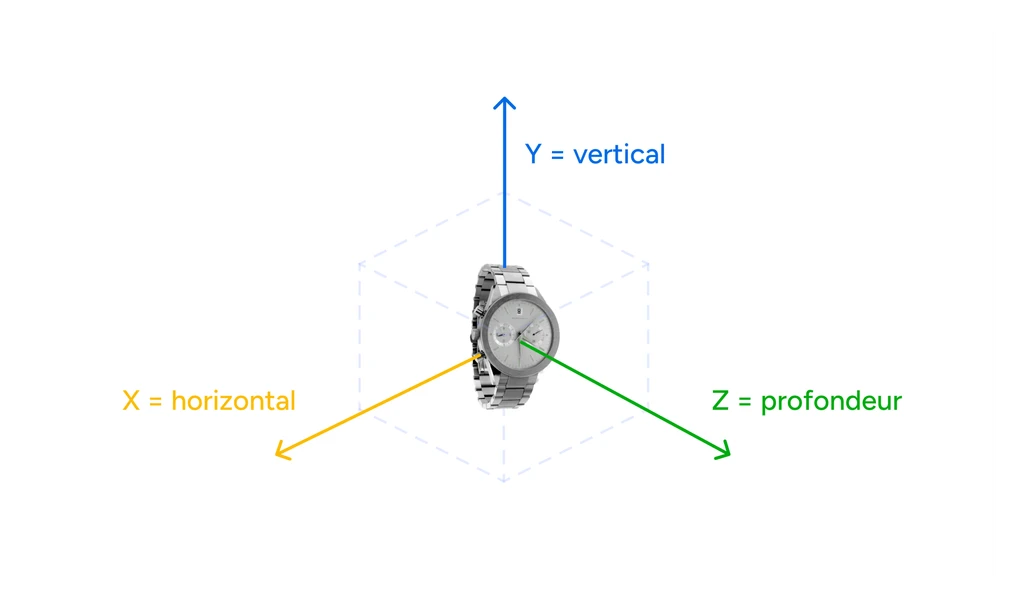
In the viewer, many of the configurator's features are based on the three axes that give objects volume: the horizontal axis, the vertical axis, and the depth axis. Below is a diagram for more clarity.
Configurator areas
General settings of the viewer:
- Title
- Description
- Tags
- Configuration
- Camera settings
- Environment settings
- Features
- Effects
- Controls
- Animations
- Actions related to the viewer
- View embed code
- Copy link to the viewer
- View viewer statistics
- Save the viewer
The 3D viewer configuration settings allow the user to adjust how their 3D model is displayed, its position, lighting, effects, arrival animations, and more.
Analytics module
To allow brands to navigate through and analyze the data linked to their live 3D viewers, I also designed an analytics section where they can see data linked to a viewer or an asset.
Specifications
To write the specifications, I based them on the prototypes created, and I wrote them on Notion. Below is a quick overview.
Functional Documentation
The purpose of the functional documentation is to describe the current functionalities we have so that the entire company is aware of what exists and what we offer to our clients, or knows where to find this information.
Conclusion
This very intensive project allowed me to implement many interesting missions related to the interfaces I had to design. I was able to organize work meetings, workshops with developers, and also write the specifications and functional documentation. I also learned a lot about 3D and how it is managed in web browsers, which allowed me to approach it in a completely different way.
Wow, you made it down here! Thank you for caring about my work, have a nice day and feel free to write me an email at bouvet.eniluap@gmail.com.